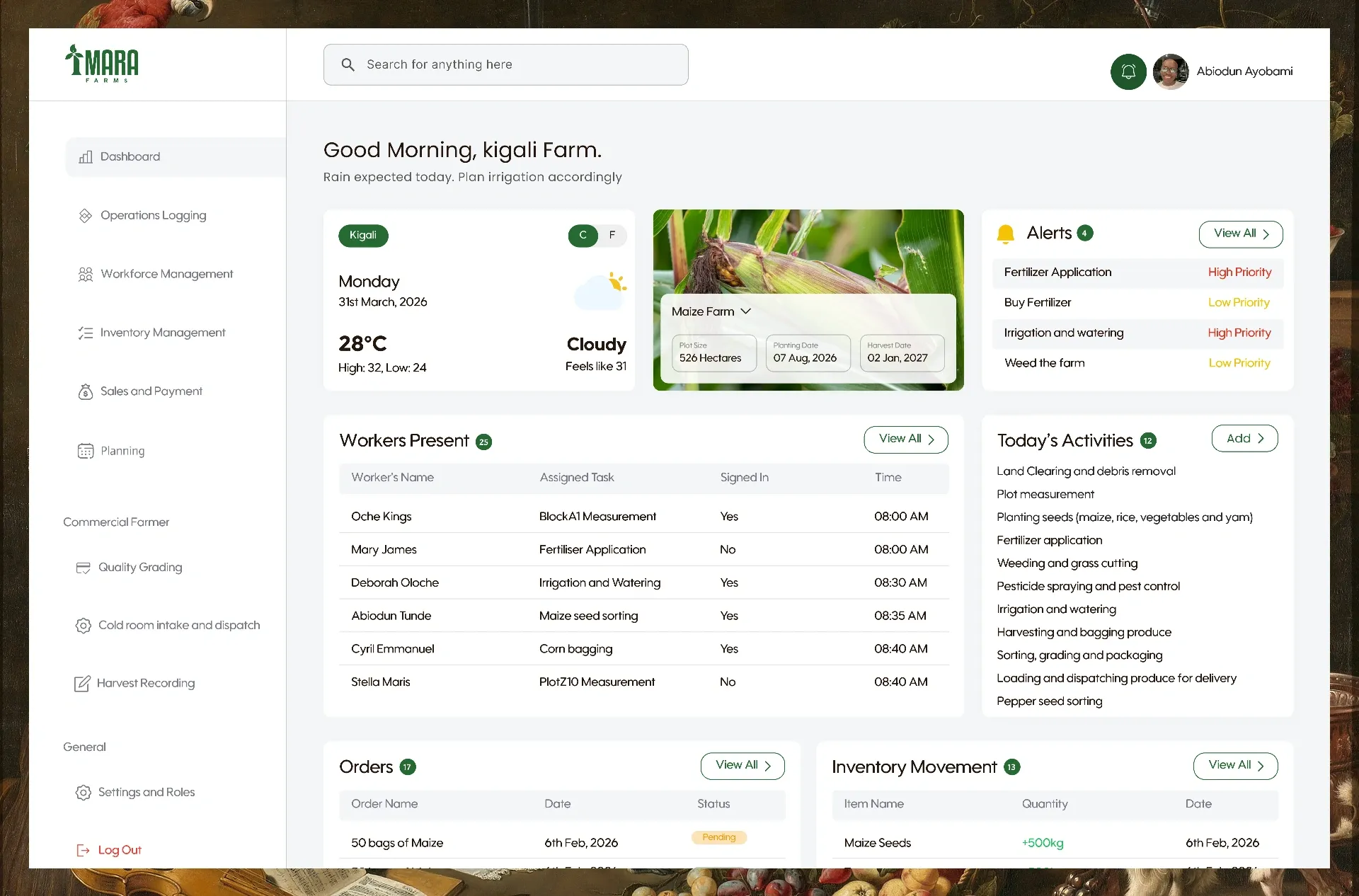
Give the Stitcheo team one place to approve vendors, watch orders and settle disputes without switching tools.
Stitcheo is a marketplace where vendors sell made-to-order fashion. This is the admin panel that runs it: vendor approvals, products, orders, disputes and payouts, all from one dashboard. I designed the admin panel end to end, working alongside one other designer on the wider product.
3 min read · 2026
The 30-second version
For busy readersDesigned the admin panel across ten areas: overview, users, vendors, products, orders, disputes, payments, promotions, settings and sign-in.
89 admin screens, reviewed and tested with the team, then handed off. It is in development now.
- 89admin screens designed
- 10product areas covered
Approvals, orders and disputes needed one home.
Every new vendor, order problem and payout needs a different check. Without one place to see them, each item has to be chased separately, and the work that is waiting is easy to miss.
I designed the admin side, end to end.
- 01 · map
Mapped the admin tasks with the founder: approving vendors, reviewing products, handling orders and disputes, and paying out.
- 02 · design
Designed the overview, users, vendors, products, orders, disputes, payments and promotions.
- 03 · states
Designed the modals, confirmations, empty states and the sign-in flow, including two-factor and password reset.
Team: Me and one other designer
What the founder needed from it
The requirements came from working sessions with the founder. Three needs shaped the panel.
- Insight 01
Check vendors before they sell
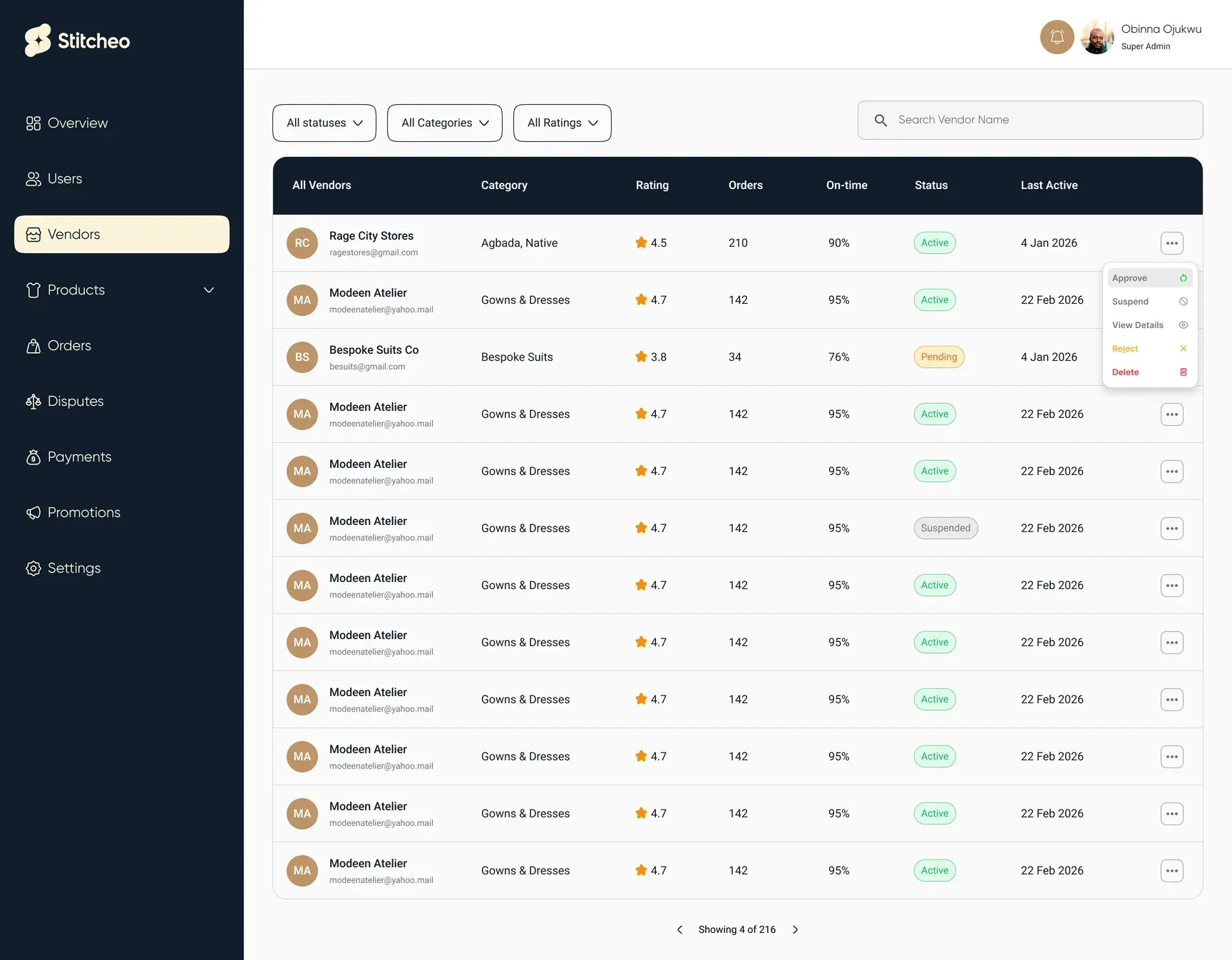
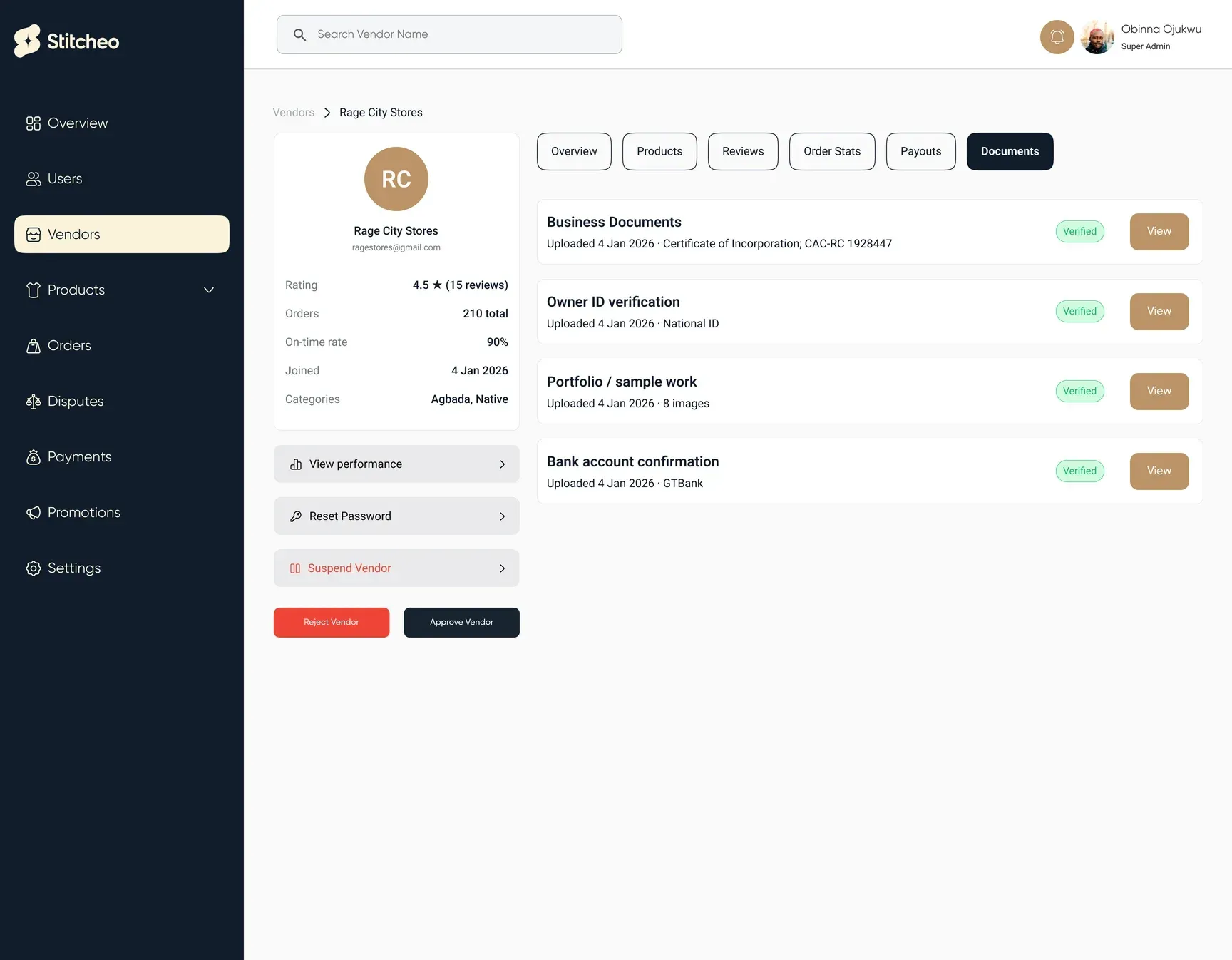
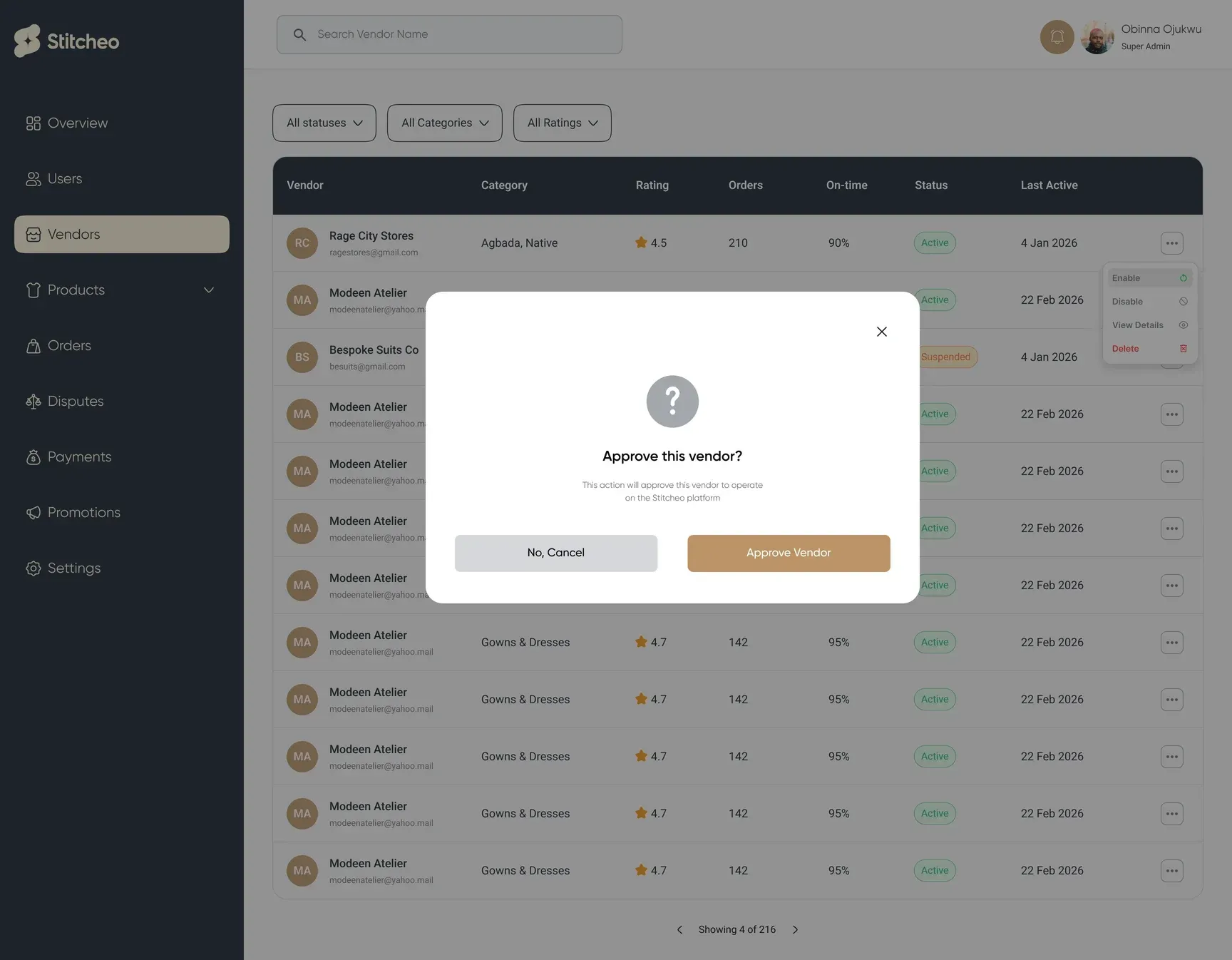
Documents, ID, portfolio and bank details are verified before a vendor goes live.
- Insight 02
Show what is waiting first
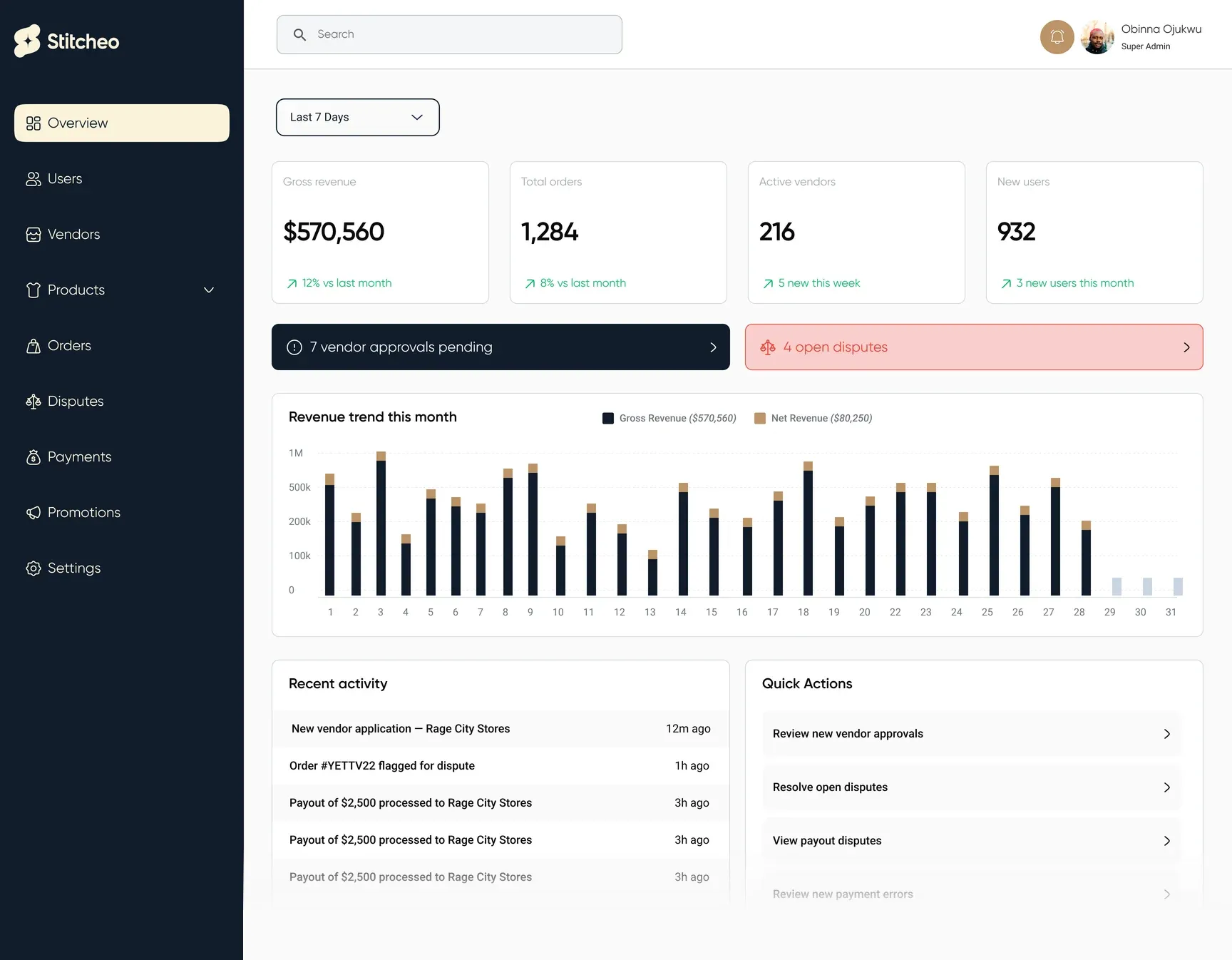
Pending approvals and open disputes lead the overview, ahead of the charts.
- Insight 03
Nothing final without a reason
Rejections, suspensions and cancellations ask first and record why.
The calls that shaped the product
Where does a pending task go?
Admins open this panel to clear work, not to browse, so the first screen has to show what is waiting.
Shipped
Vendor approvals and open disputes lead the overview, one click from the item that needs them.
How safe should a status change be?
Cancelling an order or archiving a product is hard to undo once a customer has seen it.
Shipped
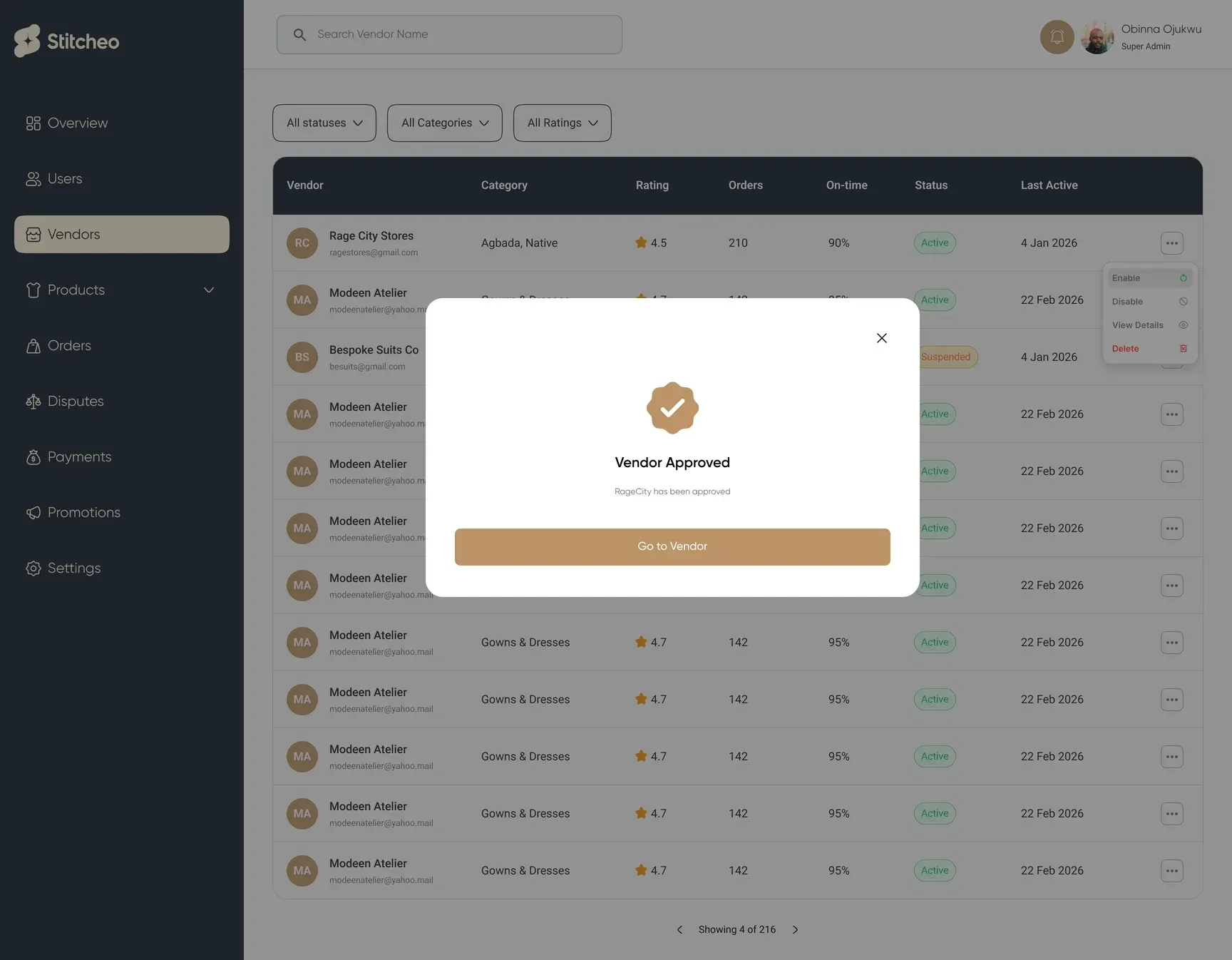
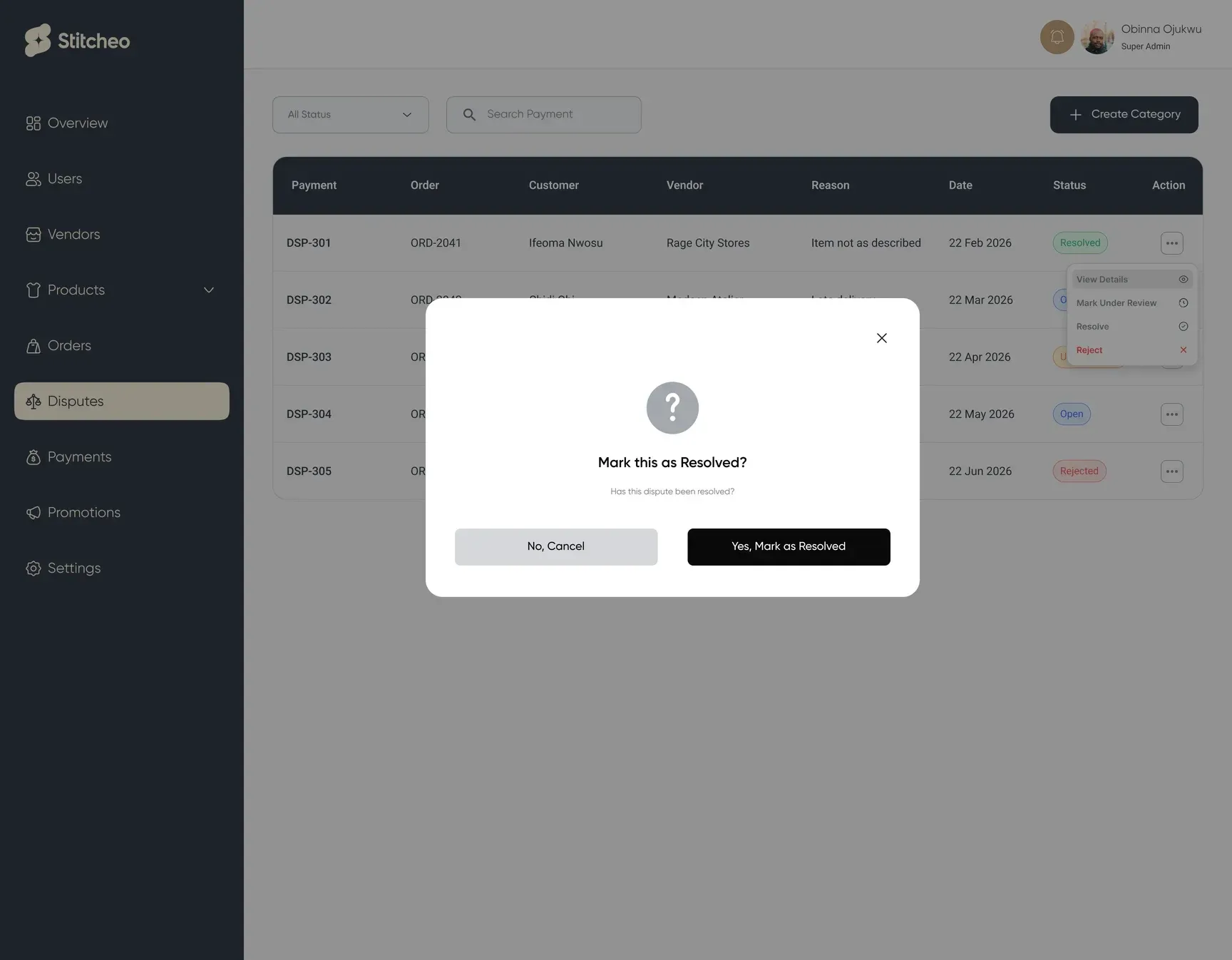
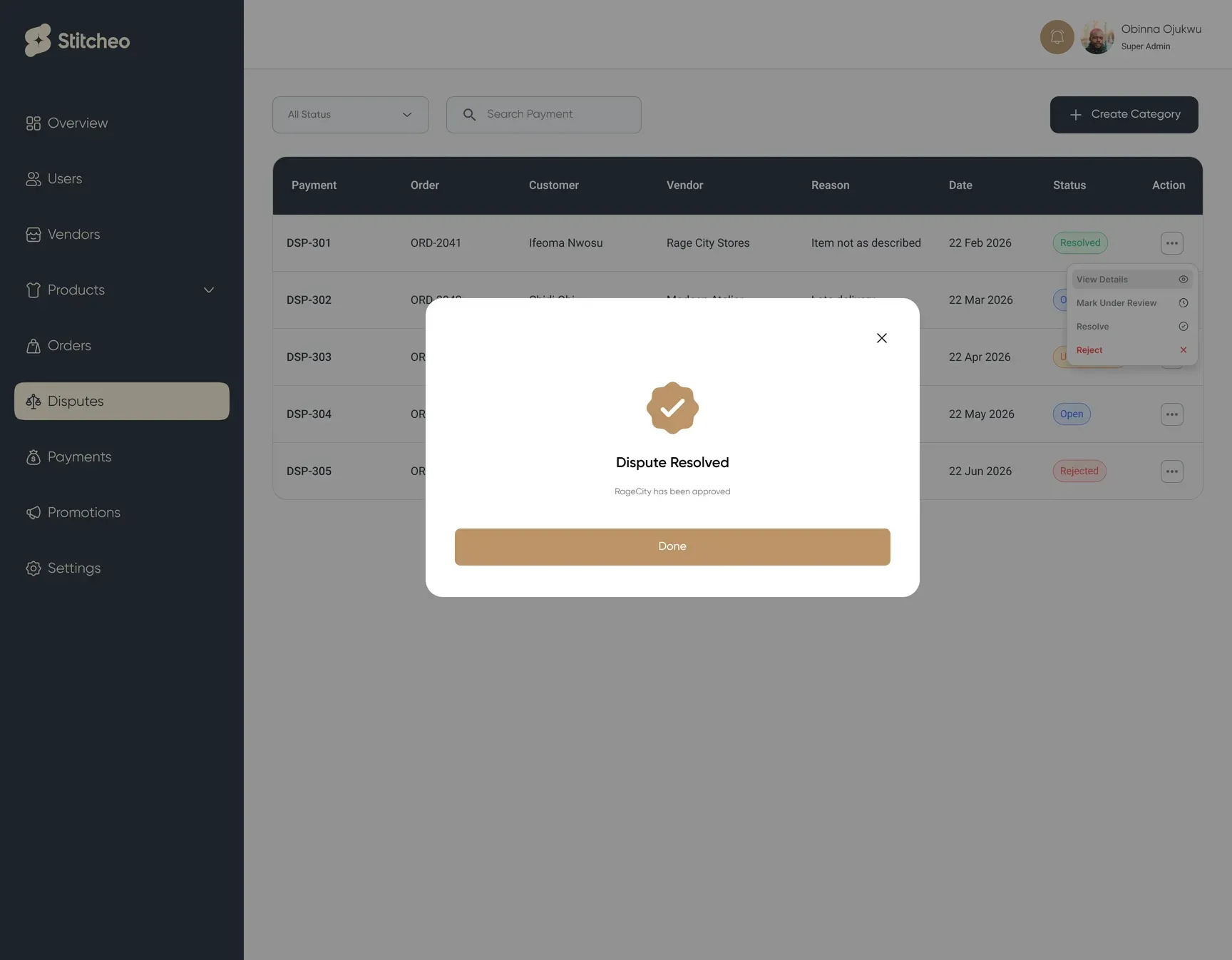
Archive, cancel and delete open a confirmation that names the item and says what happens next.
The admin panel, screen by screen
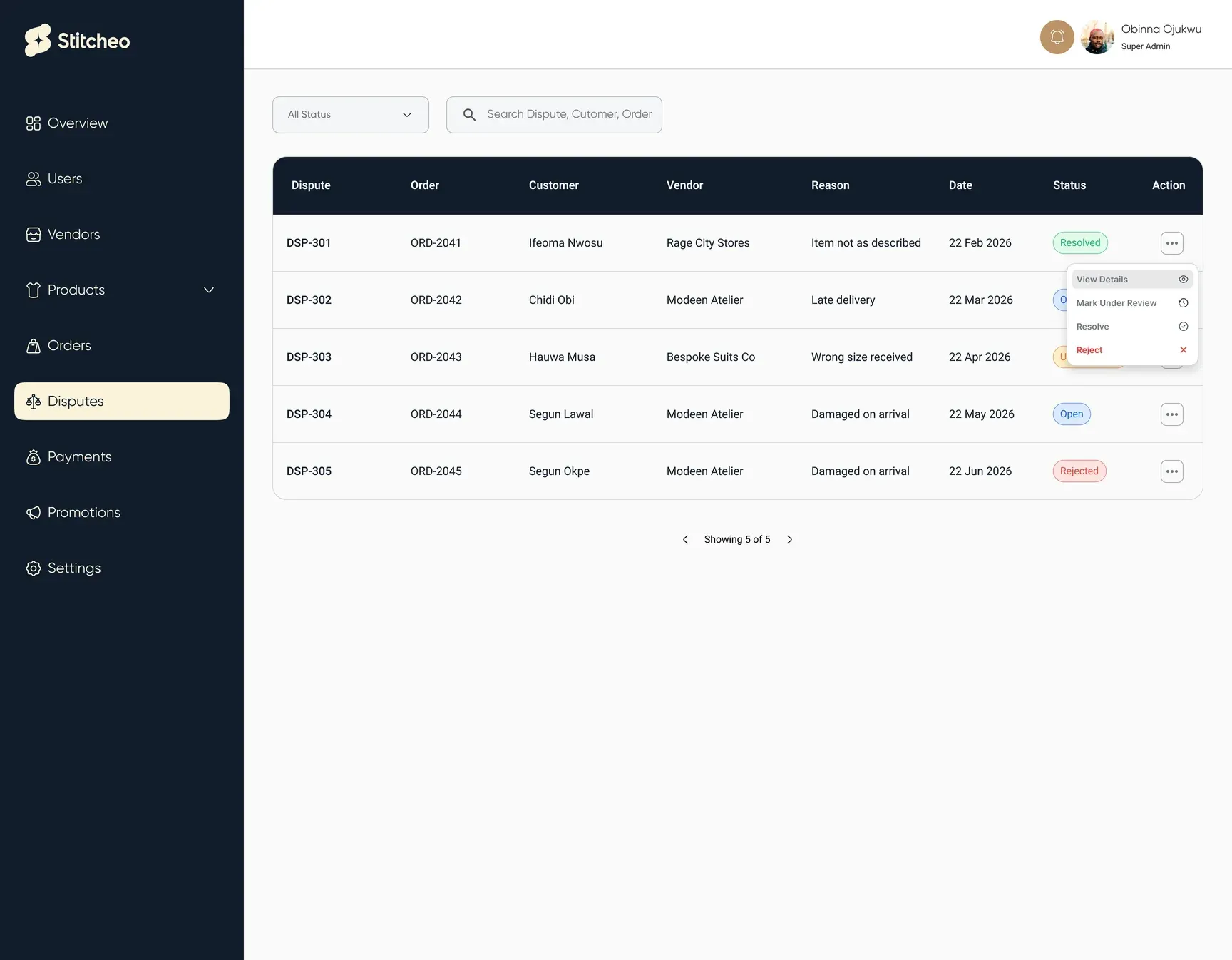
From the overview and vendor approvals through to orders, disputes and payouts. Each area follows the same layout so the team learns it once.
- One layout for every area
- Confirm before anything is final
- Every state designed
From the first flow to every state
→ git log --releases
- Flows2026Mapped the admin jobs with the founder: approve, review, resolve and pay out.
- Core2026Overview, users, vendors, products and orders.
- Money2026Disputes, payments, refunds and promotions.
- Handoff2026Confirmations, success and error states, and sign-in. Then a review with the team and handoff.
✓ The designs are handed off and the admin panel is being built.
Handed off and in development
- 89admin screens designed
- 10product areas covered
The team reviewed and tested the designs, and they are handed off. Developers are building the admin panel now.
What I would keep, and what I would change
Customers never see an admin panel, but it decides how fast a vendor goes live and how fairly a dispute ends.
- What I found interesting
The measurements. Admins can open a customer’s full set of body measurements and their history, data most marketplaces never hold.
- What was challenging
Vendor verification. Deciding what an admin must check before a vendor can sell, then making that check quick: documents, ID, portfolio and bank details, each marked verified.
- A mistake I made
I started drawing screens before mapping every flow, so some confirmation and error states were added late.
- What I learned
List every state an action can be in before designing the screens, and put the work that is waiting at the top of the home screen, ahead of the charts.
Where it's at: The designs are handed off and the admin panel is being built.
Next case study